
Introduction
Security often feels like a moving target; just when you think you’ve locked every door, a new window of opportunity opens for cyber attackers. While keeping WordPress updated is non-negotiable, experienced site administrators know that relying solely on software patches is a gamble. Real peace of mind comes from a defense-in-depth strategy – one where your application and server infrastructure work together to form a cohesive security framework.
WordPress 6.9 strengthens security through architectural improvements that reduce attack surfaces and reinforce permission boundaries. These updates operate at the code level, but robust site security demands a layered approach. When WordPress 6.9’s hardened core is paired with VeeroTech’s server-level protections – including a Web Application Firewall (WAF), isolated environments, and automated malware scanning – you gain a defense-in-depth framework that stops threats before they ever reach your application.
Understanding where these protections live – and how they reinforce one another – starts with a closer look at what changed inside WordPress 6.9 itself.
Security Architecture: What Changed
Rather than relying on a single security mechanism, WordPress 6.9 introduces targeted improvements that harden multiple layers of the application stack.
1) Block-Level Permission Boundaries
WordPress 6.9 continues to tighten how permissions are evaluated for sensitive operations, including those triggered through blocks and the editor. Combined with existing server-side capability checks, this reduces the risk that lower-privileged users can trigger actions they should not access.
This application-level hardening is more effective when paired with account-level isolation on the server. With per-account isolation (for example, PHP-FPM pools and filesystem controls), a compromise in one hosting account is much less likely to impact other accounts on the same server.
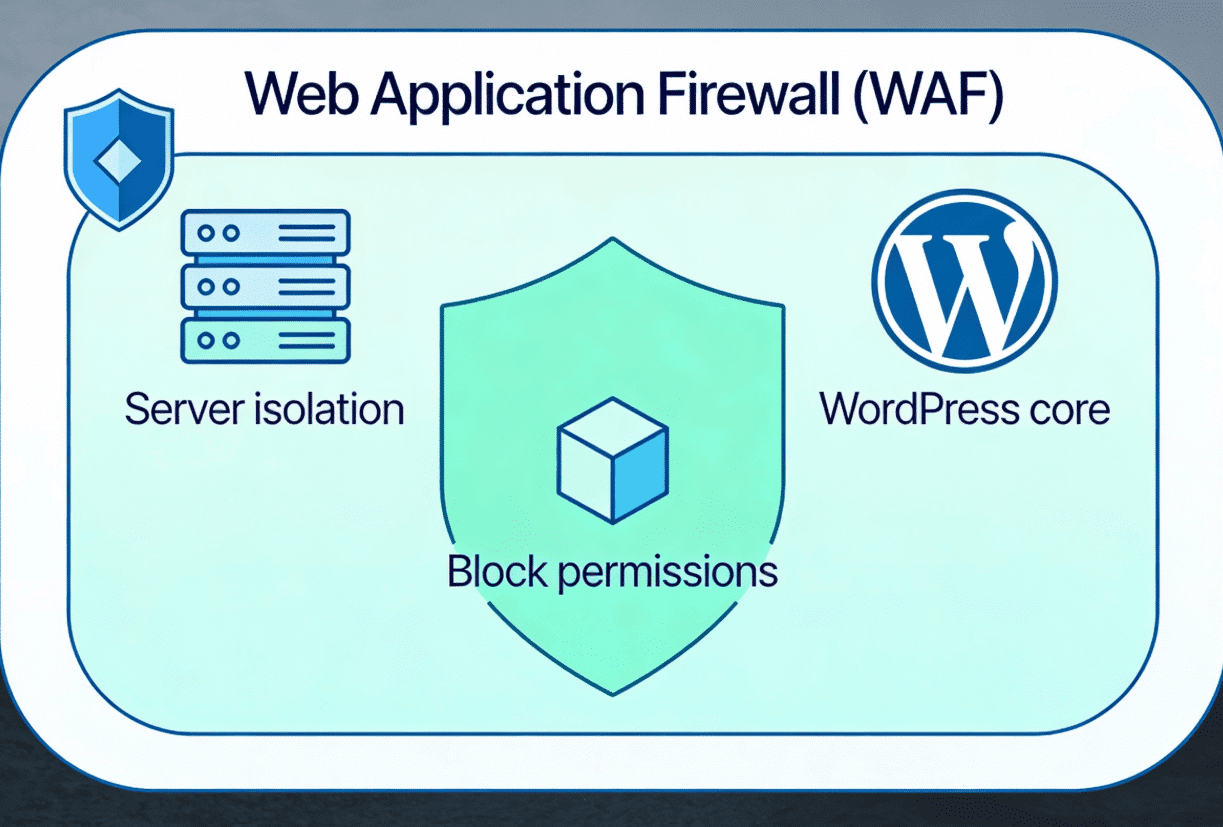
How multiple security layers work together to protect your site
2) REST API Hardening & Rate Limiting
WordPress 6.9 builds on previous REST API protections, and many sites also benefit from better sanitization and permission controls in the code that powers their endpoints. Combined with good permission callbacks and nonces, this limits the amount of data an attacker can gather by probing your API.
On the infrastructure side, server-level rate limiting and Web Application Firewalls help throttle suspicious REST API traffic. Even if a valid endpoint is discovered, throttling and pattern-based blocking make brute-force and enumeration attempts far less practical.
3) Sanitization Improvements for Dynamic Blocks
WordPress 6.9 ships with enhanced HTML API security hardening, improving how HTML and dynamic content are parsed and sanitized before output. This particularly benefits dynamic blocks and user-generated content, reducing exposure to cross-site scripting (XSS) and similar injection attacks.
To benefit fully, block plugins should be updated so their code aligns with WordPress 6.9’s stricter sanitization behavior and the underlying HTML API changes.
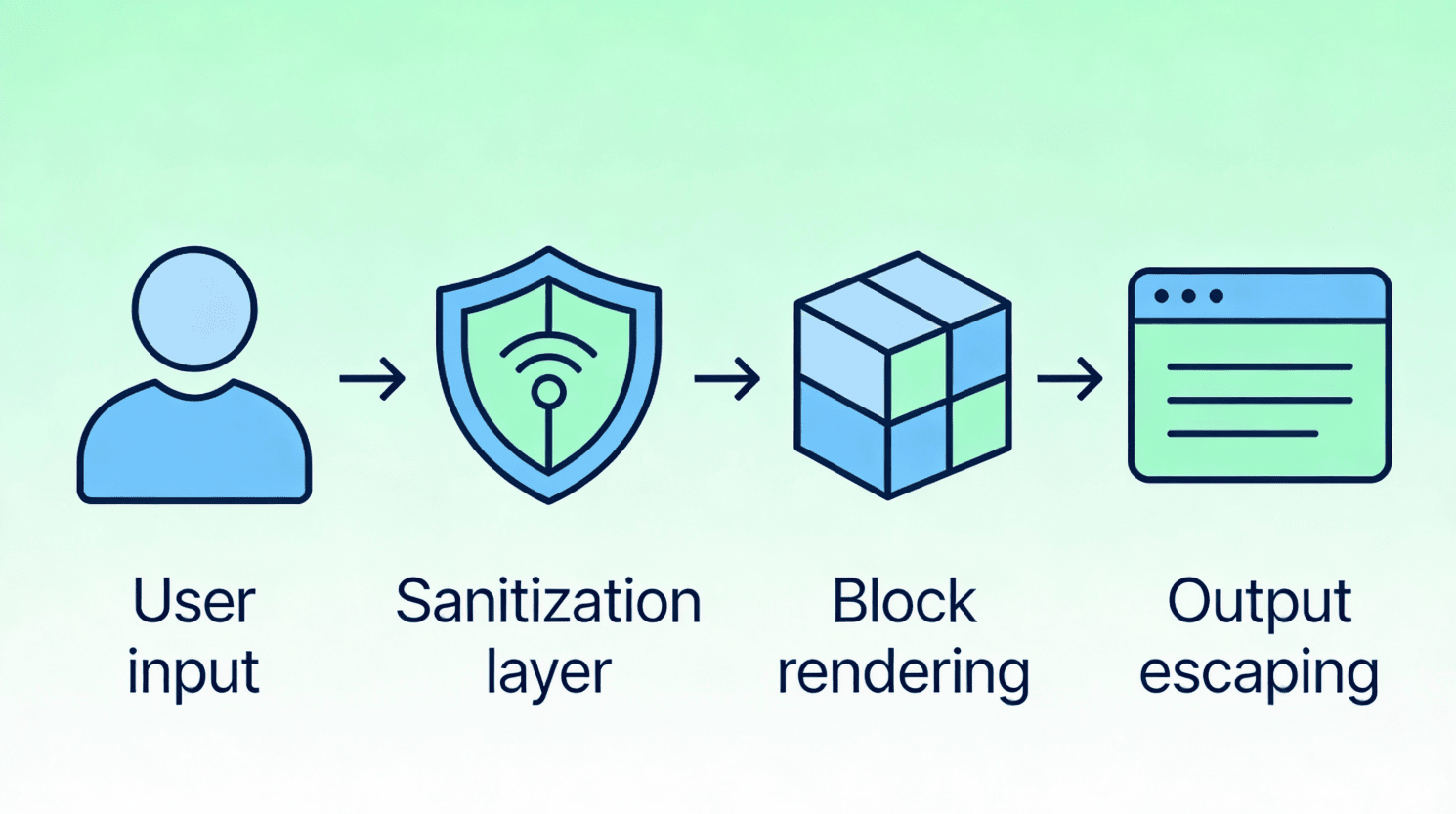
How WordPress 6.9 processes user data safely.
Caption: How WordPress 6.9 processes user data safely.
4) File Upload & Media Library Controls
WordPress 6.9 introduces stricter MIME type validation and file extension checks, closing long-standing loopholes that allowed malicious files to masquerade as legitimate media uploads.
At the server level, malware scanners such as ClamAV can inspect uploaded files for known malicious signatures. If a suspicious file slips past application-level checks, server-side scanning can quarantine it before it is served from your hosting account.
Security Checklist for WordPress 6.9
- Update all plugins and themes within 48 hours of the WordPress upgrade
- Enable VeeroTech’s WAF in Active Protection mode
- Review user roles and remove unused administrator accounts
- Enable two-factor authentication for all admin users
- Schedule weekly malware scans via the VeeroTech dashboard
- Test backup restoration on a staging environment
FAQ
Does WordPress 6.9 include a built-in firewall?
No. WordPress 6.9 focuses on hardening application-level code. It does not include a Web Application Firewall, which must be implemented at the server level.
Should I still use a security plugin with WordPress 6.9?
Yes. Core improvements provide a strong foundation, but security plugins add features such as login protection, file integrity monitoring, and activity logging.
How does VeeroTech’s account isolation protect my site?
Each hosting account operates in an isolated environment. If another site on the same server is compromised, attackers cannot access your files, databases, or processes.
What’s the most important step after updating to WordPress 6.9?
Updating all plugins and themes. Outdated extensions remain the most common entry point for attacks.
If you have any web hosting questions please feel free to reach out to us. We're happy to help.