
Introduction
WordPress 6.9 (December 2025) introduces targeted frontend optimizations and backend efficiency improvements designed to reduce render-blocking work and lower resource usage. For site owners, this translates into faster perceived load times, improved Core Web Vitals—especially Interaction to Next Paint (INP)—and lighter backend workloads.
When paired with a high-performance hosting environment like VeeroTech, which leverages NVMe storage, resource isolation, and Redis Object Caching, these WordPress core updates deliver measurable real-world performance gains without relying on an excessive plugin stack.
Deep Dive: What Changed in WordPress 6.9 and Why It Matters
1. On-Demand Block CSS & Smaller Critical Payloads
WordPress 6.9 improves how block CSS is delivered to the browser. Instead of loading a large global stylesheet for every page, classic themes now load CSS only for the blocks actually used on that page.
This significantly reduces the amount of CSS required to render above-the-fold content and helps clear the browser’s critical rendering path sooner.
Why it matters: Smaller and better-prioritized critical resources improve Largest Contentful Paint (LCP), a key Core Web Vitals metric.
Hosting tie-in: Reduced CSS payloads mean fewer disk reads and lower bandwidth usage. VeeroTech’s NVMe-backed file systems excel at serving these fragmented assets instantly, minimizing latency at the origin.
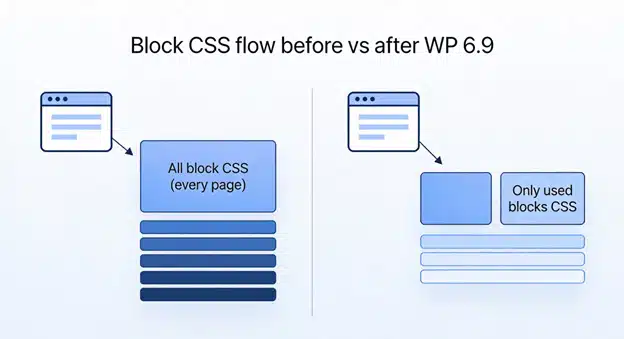
Comparison showing reduced CSS payload and fewer render-blocking resources after WordPress 6.9.
2. Refined Interactivity API & Improved INP
WordPress 6.9 refines the Interactivity API, enabling interactive blocks—such as filters, shopping carts, and calculators—to respond instantly to user actions without triggering full page reloads.
Additionally, non-critical scripts (such as emoji detection and legacy helpers) are deferred or moved to the footer, reducing main-thread blocking.
Why you should care: This directly improves Interaction to Next Paint (INP), the Core Web Vitals metric that replaced First Input Delay (FID) in 2024. Faster visual feedback leads to better engagement and improved SEO signals.
Hosting tie-in: While the Interactivity API optimizes frontend behavior, the server must still handle dynamic data efficiently. VeeroTech’s Redis Object Caching stores query results in memory, allowing repeat interactions to load instantly without repeated database processing.
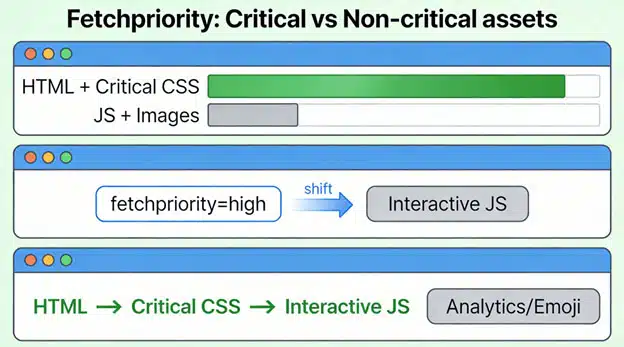
How priority hints and deferred scripts change resource download order in the browser.
3. Background Tasks with Less Impact on Page Loads
WordPress 6.9 improves how background tasks (cron-like jobs) are scheduled and executed. Non-urgent tasks are deferred to shutdown routines or moved into separated queues.
This reduces resource contention when a visitor loads a page at the same moment a background task runs.
Hosting tie-in: On VeeroTech’s queue-friendly infrastructure, deferred tasks result in fewer random slowdowns during traffic spikes and peak usage periods.
4. Admin-Side Media Handling Improvements
Media-heavy admin screens now request responsive thumbnails instead of full-resolution images. This significantly speeds up the WordPress dashboard and reduces bandwidth usage.
Practical tip: Combine these improvements with VeeroTech’s staging and backup workflows. Large media libraries load noticeably faster on staging environments, making testing and content management more efficient.
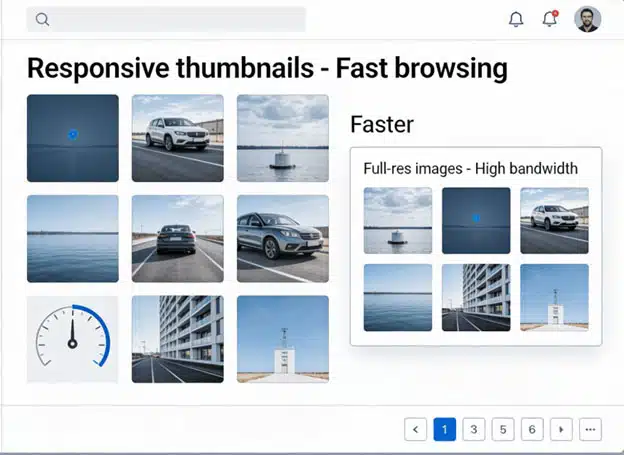
Responsive thumbnails reduce admin bandwidth and speed up media browsing.
Quick Upgrade Checklist
- Create a full backup from the VeeroTech dashboard.
- Enable Redis Object Caching via cPanel (if not already active).
- Update WordPress 6.9 on a staging environment first.
- Perform smoke tests, focusing on interactive elements like forms and checkout flows.
- Measure INP and LCP using PageSpeed Insights before and after the upgrade.
Frequently Asked Questions
Will updating to WordPress 6.9 improve my Core Web Vitals?
Yes. WordPress 6.9 specifically targets Core Web Vitals by reducing render-blocking CSS (improving LCP) and optimizing interactivity through the Interactivity API (improving INP). The best results are achieved when combined with fast, well-configured hosting.
Do I still need a caching plugin with WordPress 6.9?
Yes. While WordPress 6.9 improves efficiency, a caching solution is still required to serve static HTML pages quickly. For optimal performance, use a plugin that integrates with server-side Object Caching such as Redis.
Does WordPress 6.9 benefit mobile users?
Absolutely. Mobile visitors benefit the most from reduced file sizes, deferred scripts, and improved interactivity, especially on slower networks and lower-powered devices.
How does hosting affect WordPress 6.9 performance?
Hosting defines the hardware limits of your site. WordPress 6.9 improves code efficiency, but high IOPS, fast PHP workers, and in-memory caching—provided by hosts like VeeroTech—are essential to execute that code quickly and consistently.
If you have any web hosting questions please feel free to reach out to us. We're happy to help.
Our Guiding Principles