
User packages in DirectAdmin act as the architectural blueprints for your web hosting business. They allow you to bundle server resources such as storage, monthly bandwidth, email allocations, and database limits into distinct hosting plans that you can sell to clients or assign to your own web properties. Before you can provision a single new client account, you must establish at least one functional user package. This guide outlines how to systematically create, adjust, and maintain these packages from your reseller interface.
Quick Steps
-
Log into DirectAdmin and make sure your access view is set to Reseller Level.
-
Head over to the sidebar and choose Account Manager > Manage User Packages.
-
Click the green Add Package button to launch the plan creation tool.
-
Configure your plan’s operational limits (Disk Space, Bandwidth, etc.) and feature permissions.
-
Input a clear, recognizable Package Name at the bottom of the configuration list.
-
Click Save to deploy the new hosting plan tier to your system.
Follow the step-by-step instructions below to set up your custom hosting plans.
1. Locate the User Packages Dashboard
Before mapping out your plan limits, you need to open the package administration interface inside your panel.
- Access your DirectAdmin control panel. Look at the top right or the primary navigation area to verify you are working from the Reseller Level.
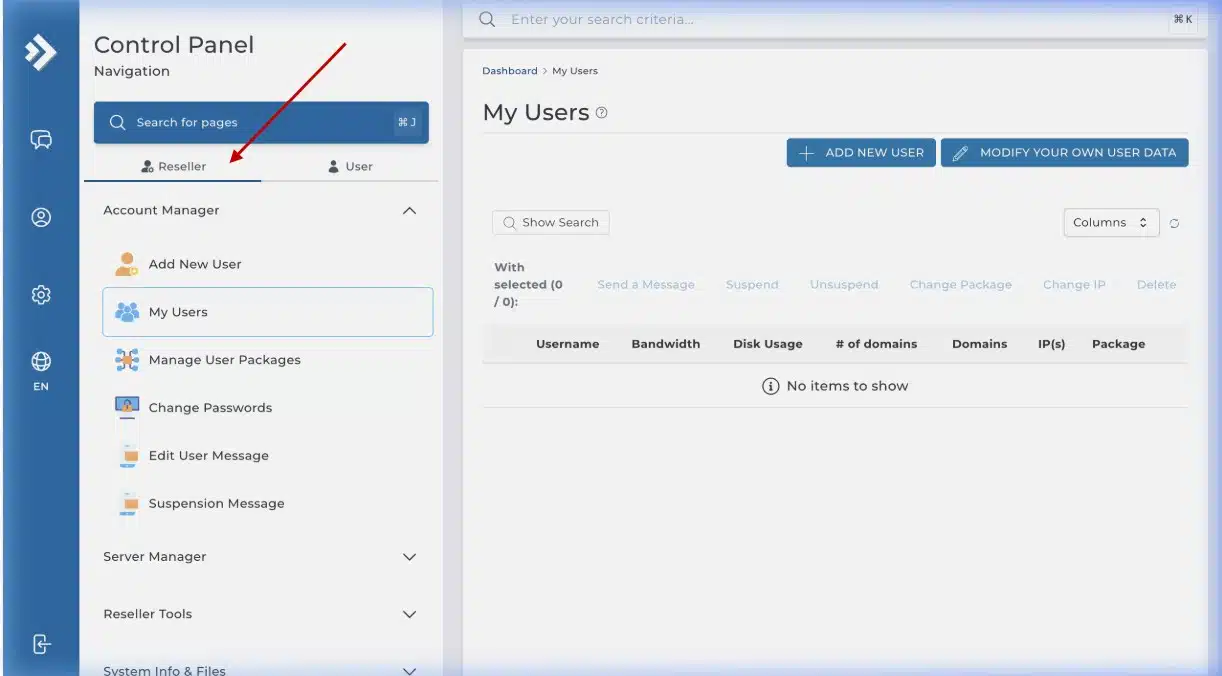
DirectAdmin dashboard with Reseller Level selected
- Click on Account Manager inside the left-hand navigation menu to reveal its dropdown choices.
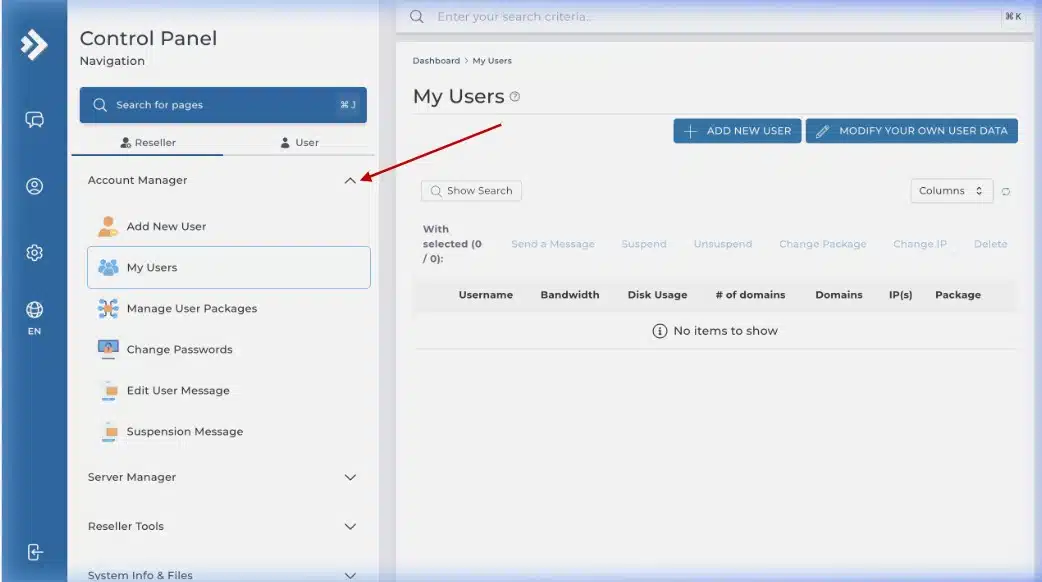
Account Manager menu expanded
-
Select Manage User Packages from the expanded options list.
- Once your package inventory loads, locate and click the green Add Package button in the top corner.
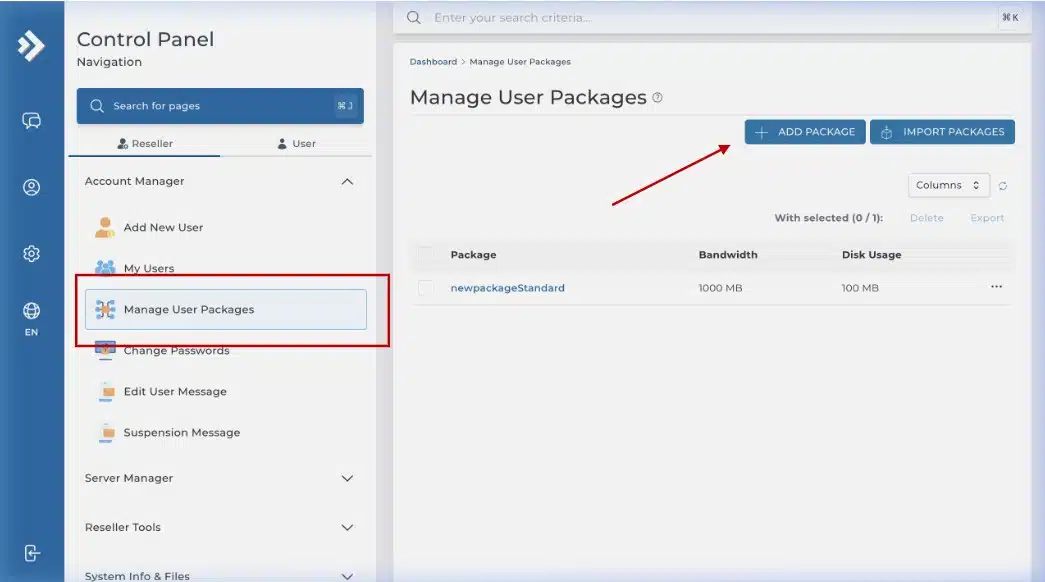
Manage User Packages page with ADD PACKAGE button
2. Fine-Tune Resources and System Features
A comprehensive configuration screen will load, divided into quantitative resource quotas and binary feature toggles.
- Setting Quotas: Enter explicit maximum allowances (calculated in Megabytes) for core deliverables. Map out your requirements for Disk Space (storage capacity) and Bandwidth (monthly data transfer traffic). You will also specify maximum limits for Domains, Email Accounts, and MySQL Databases based on your specific business models.
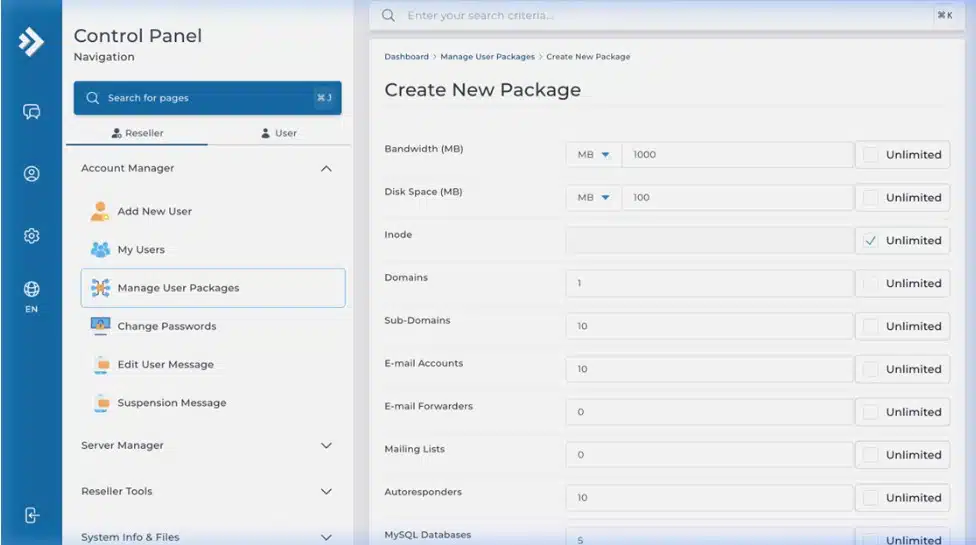
Package resource configuration form – top section
- Toggling Advanced Capabilities: Scroll down to the feature permission toggles. DirectAdmin offers granular environmental options. Check or uncheck boxes to control client access to development utilities such as CGI Access, PHP Execution, SSL Certificates, SSH Access (Terminal), and automated Cron Jobs.
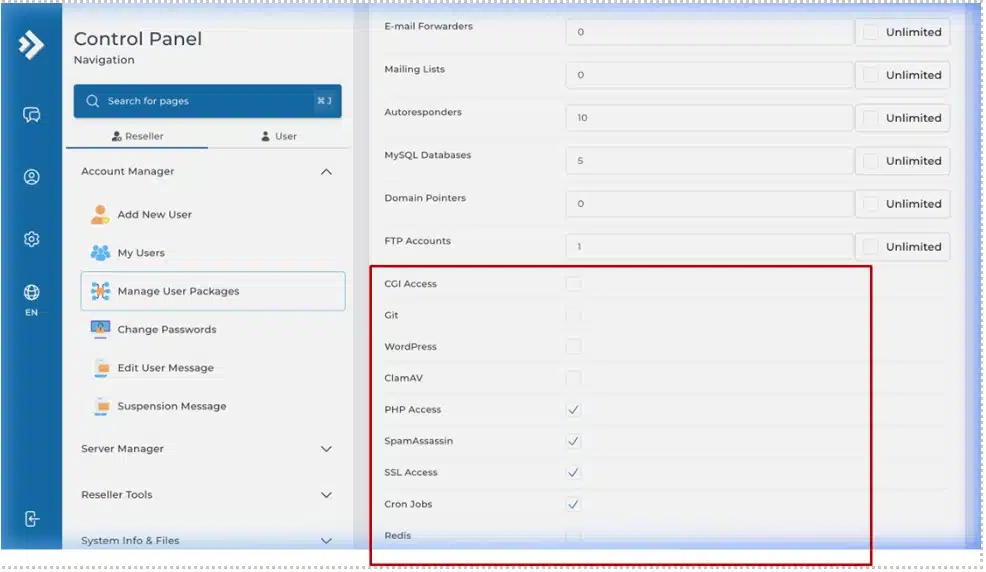
Package feature toggles section
- Naming and Saving: At the bottom of the configuration screen, locate the Package Name input box. Choose a recognizable tier label (such as Basic-Plan, Developer-Tier, or Enterprise-Pro). Avoid spaces or unusual symbols. Review your settings and click the Save button to write the package profile to the server.
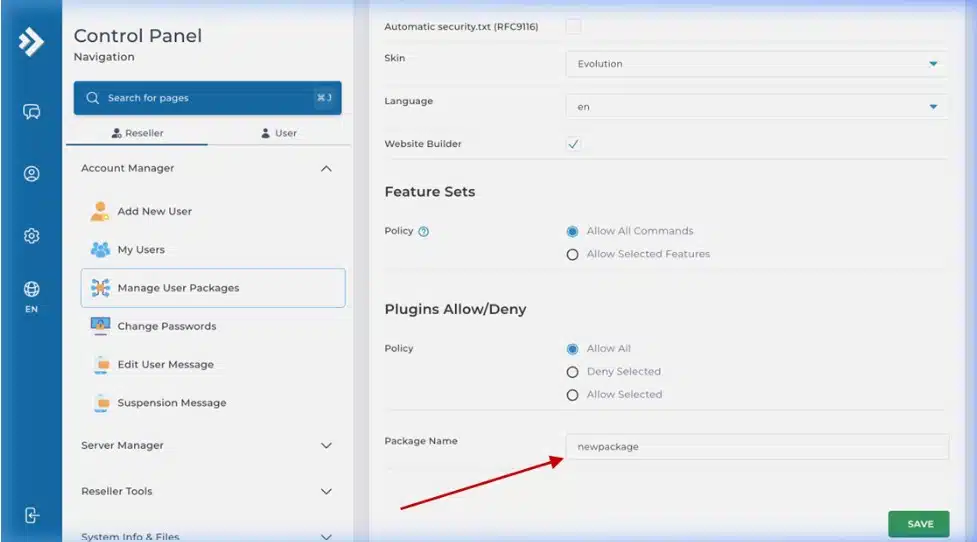
Package name field and SAVE button
3. Managing and Modifying Existing Packages
As your business expands, you may need to update your pricing structures or change your plan offerings.
-
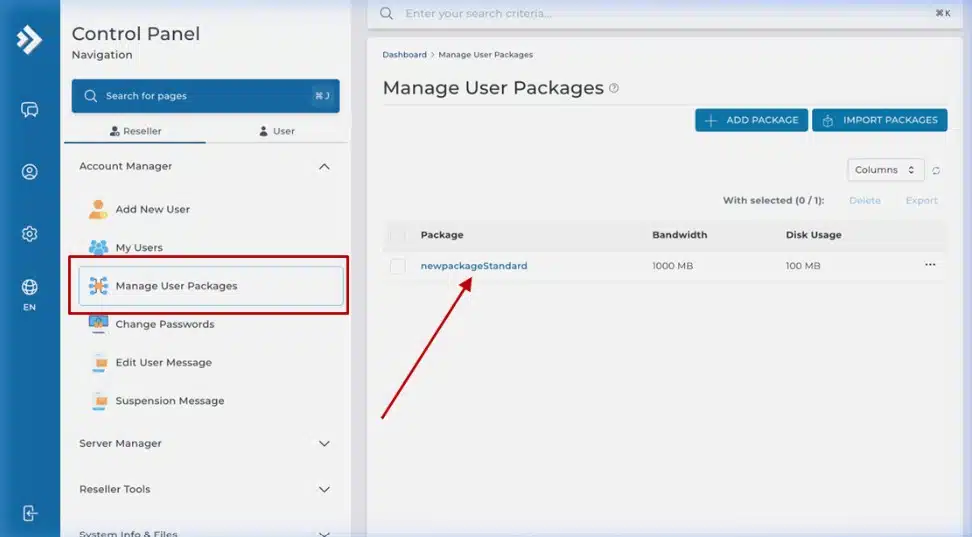
Editing an Active Package: Go back to Account Manager > Manage User Packages. Click directly on the text link of any package name to re-open its resource matrix. Modify any number of parameters and click Save.
List of packages with clickable package names
Important Deployment Note: Updates applied to an existing package profile apply only to new user accounts provisioned moving forward. Active client accounts created prior to the update will retain their original historical quotas. If you want old accounts to inherit new resource parameters, you must update those users manually or execute an account package reassignment.
-
Deleting Obsolete Packages: To remove a plan tier, tick the selection box next to the target package name on your dashboard and click the Delete button. Note that the system will prevent you from deleting any package profile that has active users currently attached to it.
Wrapping Up
Creating structured user packages gives you total control over how your reseller ecosystem consumes server resources. By building out distinct tiers up front, such as a lightweight Starter plan and a feature-rich Professional option, you make it simple to scale your operations as your client base grows.
If you have any web hosting questions please feel free to reach out to us. We're happy to help.
Our Guiding Principles